Leina: A Team AI Agent Across Chat Platforms and Business Apps
Use one Leina instance across chat platforms, connect business apps through the OpenConnector authorization gateway, and assign access permissions to members and groups.
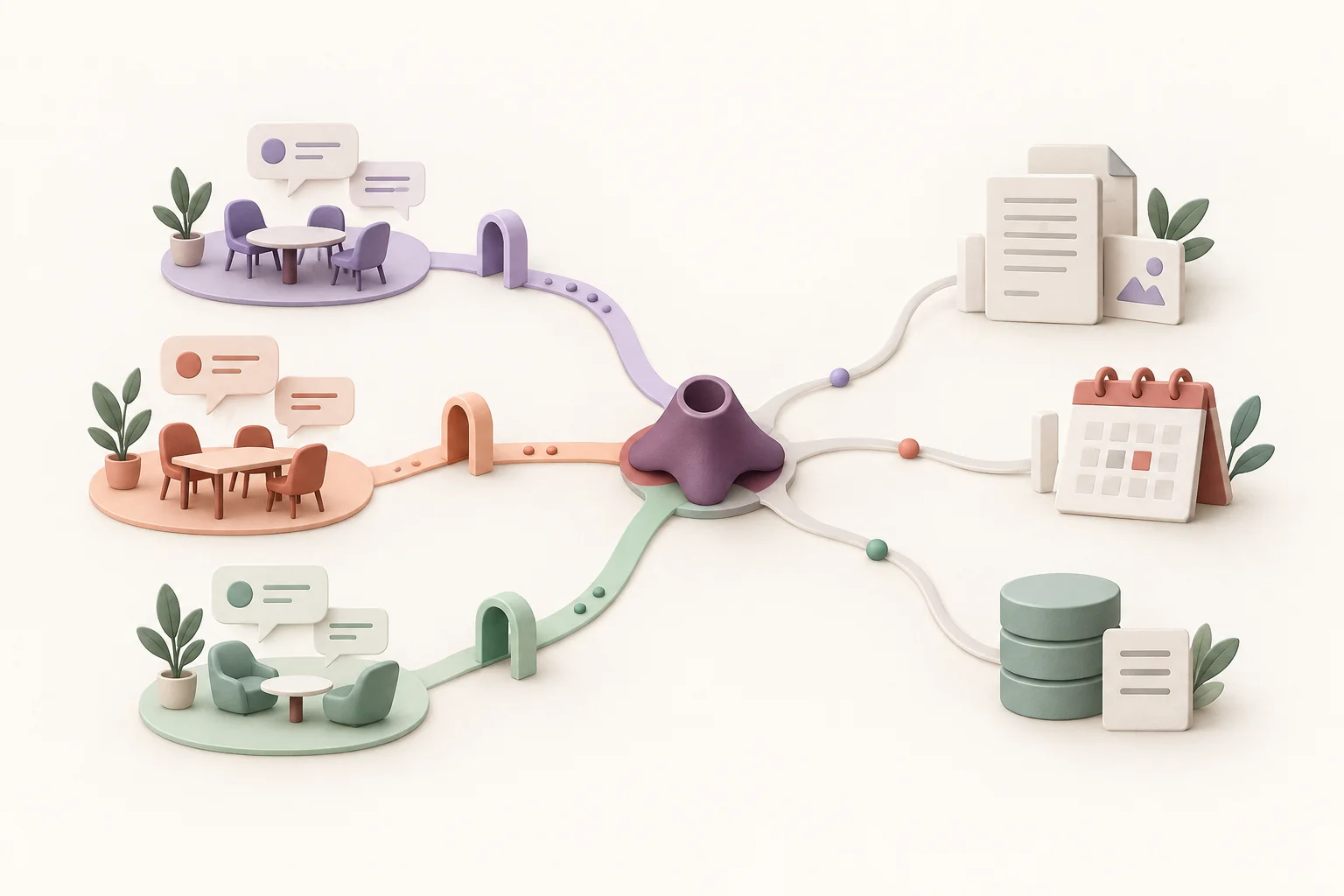
Conceptual illustration: multiple chat entry points, a shared agent, and business apps connected within defined permissions.
Bringing an AI agent into a team’s daily work raises three practical questions. Where will people interact with it? How will it reach the data and tools they already use? And what should each person be allowed to access?
These questions are connected. A useful team agent needs to work in familiar conversations, reach the applications needed for a task, and respect access boundaries when several people use it.
Leina is built around those needs: one server-side instance across supported chat platforms, business-app connections through our OpenConnector authorization gateway, and permissions assigned to members and groups.
One Leina Instance Across Chat Platforms
Teams often work in more than one messaging environment. Some members might collaborate in WeCom, while others use Discord. Maintaining a separate agent for each platform adds setup and administration work.
One Leina server-side instance can connect to multiple supported chat platforms. Team members can interact with that instance from their chosen platforms without buying a separate instance just to add another chat entry point. Platform availability and usage charges depend on the current plan.
A team can start with an existing work group and expand to other platforms as needed. People keep the chat tools they know and assign tasks to Leina there.
Chat provides the entry point for a task; connected business apps supply the data and operations needed to complete it. After setting up chat access, the team can configure the relevant app connections. Each entry point still needs an appropriate set of connection permissions.
From Team Chat to Business Apps
flowchart TB
  accTitle: From Team Chat to Business Apps
  accDescr: WeCom and Discord connect to one Leina instance. OpenConnector authorizes access to connected documents and business data. App types are illustrative.
  subgraph CHAT[CHAT PLATFORMS]
    W(WeCom):::channel
    D(Discord):::channel
  end
  W --> L("Leina
One server instance"):::agent
  D --> L
  L --> G("OpenConnector
Authorization gateway"):::gateway
  subgraph APPS[AUTHORIZED APPS]
    F(Documents):::resource
    B(Business records):::resource
  end
  G --> F
G --> BBusiness-App Connections Through OpenConnector
What an AI agent can accomplish depends on the business systems it can reach and the operations those connections allow.
Leina uses OpenConnector, our own secure authorization gateway. At the time of publication, the gateway supports more than 1,500 providers and over 16,000 actions. These figures describe the gateway’s connection coverage; they do not mean every account has all services or actions enabled.
A provider represents a service that can be connected. An action is an operation exposed by its connector. Reading, creating, and updating records in the same app can require different supported actions and permissions.
That breadth gives teams more ways to build tasks around their existing tools. When a connected application supports the relevant action and the account has access, Leina can help find project documents, summarize business records, or write a prepared result to a specified destination.
The actual scope depends on the connector, the authorized account, and its permissions. Start with the Apps directory, check the operations required for a task, and connect the appropriate account.
The authorization gateway is part of that access architecture. Business-app access is authenticated and authorized through the gateway, and the agent calls applications within the configured permissions. Account authorization takes place through the connection process, without pasting passwords or raw access tokens into chat.
Permissions for Members and Groups
An individual agent primarily needs access to its user’s accounts and data. A shared organizational agent needs more explicit boundaries: which members can use which connections, and which groups can access which business information?
Leina supports organizational use with permissions assigned to members and groups. Teams can share an agent while defining its permitted access for different participants.
Consider a team that handles sales, project delivery, and conversations with external participants. Its access requirements might include:
- Sales members need connections and actions relevant to customer follow-up.
- Project members need access to the documents and records used for project delivery.
- Groups with external participants should receive only the information and operations suitable for that audience.
These are examples of business boundaries to express through permission configuration. Assign access according to people’s responsibilities and the tasks they need to complete. The available scope depends on the connector, account permissions, and team settings.
Those boundaries must be implemented through connections and authorization settings. Creating separate chat groups does not replace app permissions or imply that conversation context and long-term memory are automatically isolated by group. See Permissions and Data Access for usage guidance.
This approach helps organizations control the agent’s business-app access and reduce the risk of excessive or inappropriate permissions as more members and groups start using it.
A Shared Agent, Defined Access
flowchart TB
  accTitle: A Shared Agent, Defined Access
  accDescr: Member and group permissions and business-account authorization define which data and actions are available through OpenConnector. Resources outside the scope are not available for calls.
  M("Members + groups
Permissions"):::channel
  C("App account
Authorization"):::channel
  M --> G("OpenConnector
Scoped business access"):::agent
  C --> G
  G --> A("Within scope
Data and actions"):::resource
  G -.-> X("Outside scope
No access"):::restrictedStart With One Clearly Defined Task
The three capabilities work together in a single workflow. A team member requests a task in a familiar chat platform. Leina uses authorized app connections to find the required information and operates within the configured permissions.
For an initial task, choose a clear scope and an output that is easy to verify. After connecting an app that supports document search, try a request such as:
Find this week’s meeting notes in our connected project documents. Summarize the decisions and open questions, and include links to the source documents. Read documents only for this task.
Replace the source and time period with your actual app, project, and dates. Check that the sources are correct, the participants have appropriate access, and the result is complete. For tasks involving messages, publication, or record changes, ask for a draft first and review its destination and content before execution.
Once the team has verified the connection, access scope, and results, it can extend the workflow to more members and groups. The Getting Started guide covers connecting chat, authorizing an account, and assigning a first task.
From chat access to business-app connections and member permissions, Leina gives teams a practical path to introducing an AI agent into everyday work.
Continue Reading
- One agent across chat platforms: distinguish chat access from app connections and expand from one group.
- OpenConnector and secure app connections: check providers, actions, and account authorization with a read-only task.
- Member and group permissions: plan access scopes, review output audiences, and verify boundaries.