



Product Images
Highlight the subject, structure, and details.
A canvas for design and creative production teams making product visuals, ad assets, and video concepts. Organize product photos, references, and design briefs; generate images, compare directions, refine them, and use selected images for video creation.
In Leina, find Infinite Canvas under More Tools.
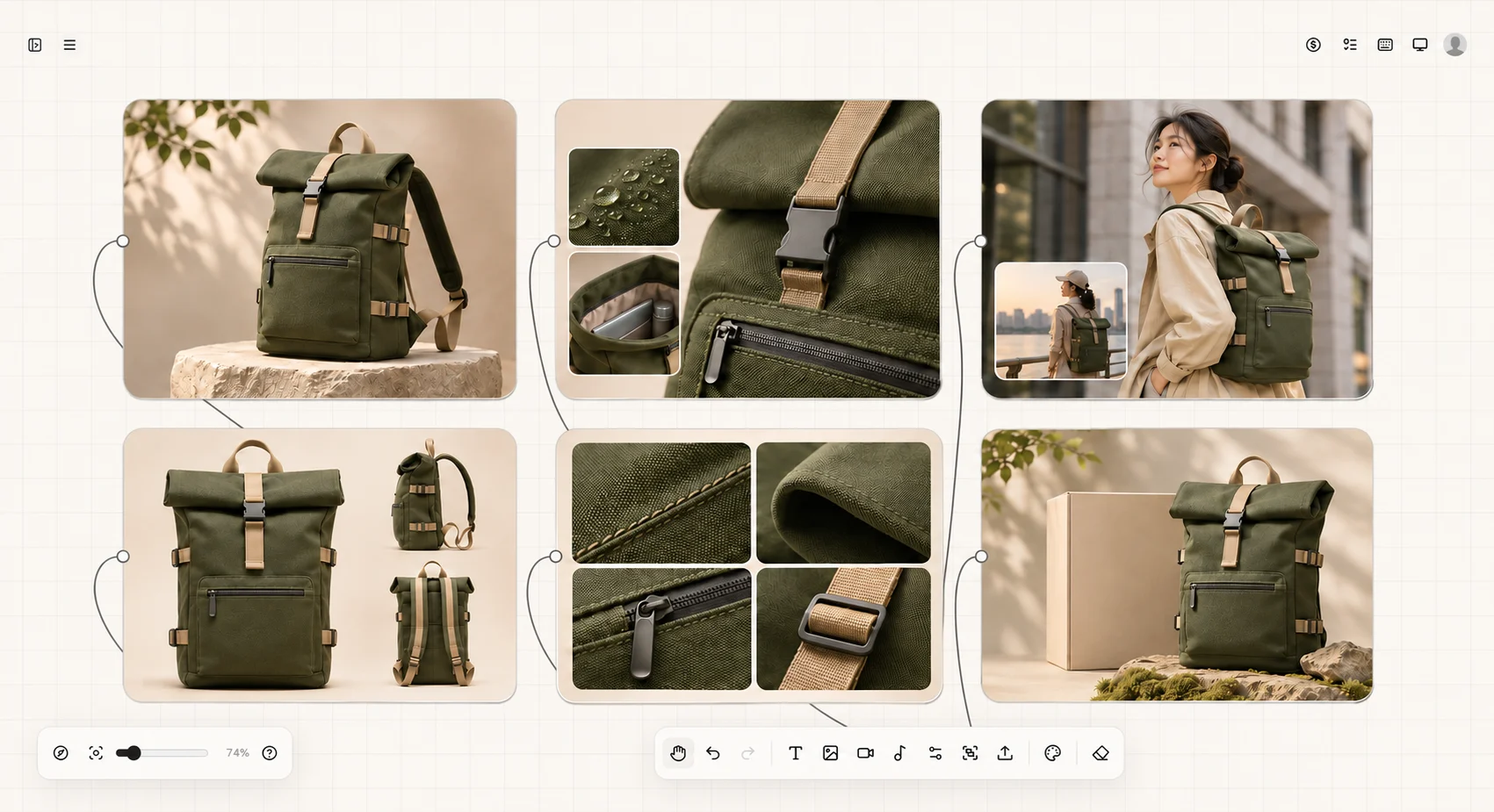
01Product Hero
02Material Details
03Model Lifestyle
04Multiple Angles
05Craft Close-Ups
06Ad Visual
Explore images for your storefront, social posts, or ads. Connect your photo and requirements to a generation setup, choose an image model, and refine the background, composition, or setting from the result.
Use this product photo as a reference for a naturally lit living room scene. Keep the setting simple and show the cabinet and its storage space clearly.
Explore compositions, settings, and visual directions for the same design brief. Compare proposals side by side against the requirements, refine the chosen direction, and keep other versions for reference.
Highlight the subject, structure, and details.
Show how the product fits into a real setting.
Explore expressive compositions around one selling point.
Adapt the setting and aspect ratio to your content.
Once you have a direction, use the selected image as a video reference and describe the motion and camera movement. Keep references, image versions, and video results together for comparison and refinement.
Use this living room image as a reference for a slow camera push toward the storage cabinet. Show the overall setting and keep the shot steady.
Use reference images or first and last frames where the selected model supports them, then set duration, aspect ratio, and other available options.
Confirm a direction with one image before trying other models or expanding the set. Available settings and generation methods depend on the options in the canvas.
Arrange product photos, references, requirements, and results together. Connect source material to generation steps and group different directions. Zoom in for detail or out for the full set, then return to the references behind a result.
When you need a starting point, explore the prompt library and adapt an idea to your product. Organize selected materials through the asset area for reuse.
Start with a product visual brief, product photos, and references. Generate a first version and refine it before extending to other scenes, formats, or video concepts.
Before using a result, check the product’s appearance, colors, structure, and any text against the intended use.
Open Infinite CanvasIn Leina, find Infinite Canvas under More Tools.