



After Vibe Coding, Who Keeps the Business Running?
AI makes the first version faster to build. Feedback, follow-through and team handoffs determine whether the software stays useful.

Concept illustration: finishing the first version leaves plenty of work ahead.
Something in @blameanthony’s TikTok about Adobe caught my attention. In the caption, he says Adobe crashed three times while he was editing that very video. He was also struggling with support for a video codec. His question: should someone vibe-code an open-source alternative?
But he also says he is happy to pay for Adobe—as long as there is support, bugs get fixed, and it happens quickly.
That adds something to the conversation about building software with AI. Making a feature work is exciting. Once people start using it, they also want to know who will fix it when something breaks, and whether they can keep relying on it.
Launching the app is only the beginning
Vibe Coding shortens the distance between an idea and a first version. A small tool that once needed a slot on a development schedule can now be something you build and try. That is appealing when you know exactly what you need.
Still, @blameanthony’s complaint is a useful reminder: everyday work gets interrupted by specific problems. A file will not open. An app crashes halfway through a job. Something that worked last time suddenly fails.
Tools you build yourself face the same issues. After the first release, feedback keeps coming, usage changes, and people ask for things nobody anticipated.
Code can be generated quickly. The work that follows still takes time.
Another tool means another handoff
For a team, there is another question: who knows about the problem, and who will pick it up?
Feedback may sit in chat, progress in a project tool, and related customer information in a different system. Deciding what to fix first often starts with gathering all of that.
The easier tools become to build, the more this organization matters. Every new entry point needs somewhere for incoming information to go, and a way for the outcome to come back. Otherwise, colleagues still spend their time asking for updates and forwarding messages.
The step after a fix is particularly easy to miss. A problem gets resolved, but nobody replies to the person who reported it. A request gets discussed and deferred, only to resurface as a new request next week. Recording the status and returning the outcome to the original conversation can prevent a lot of repeated discussion.
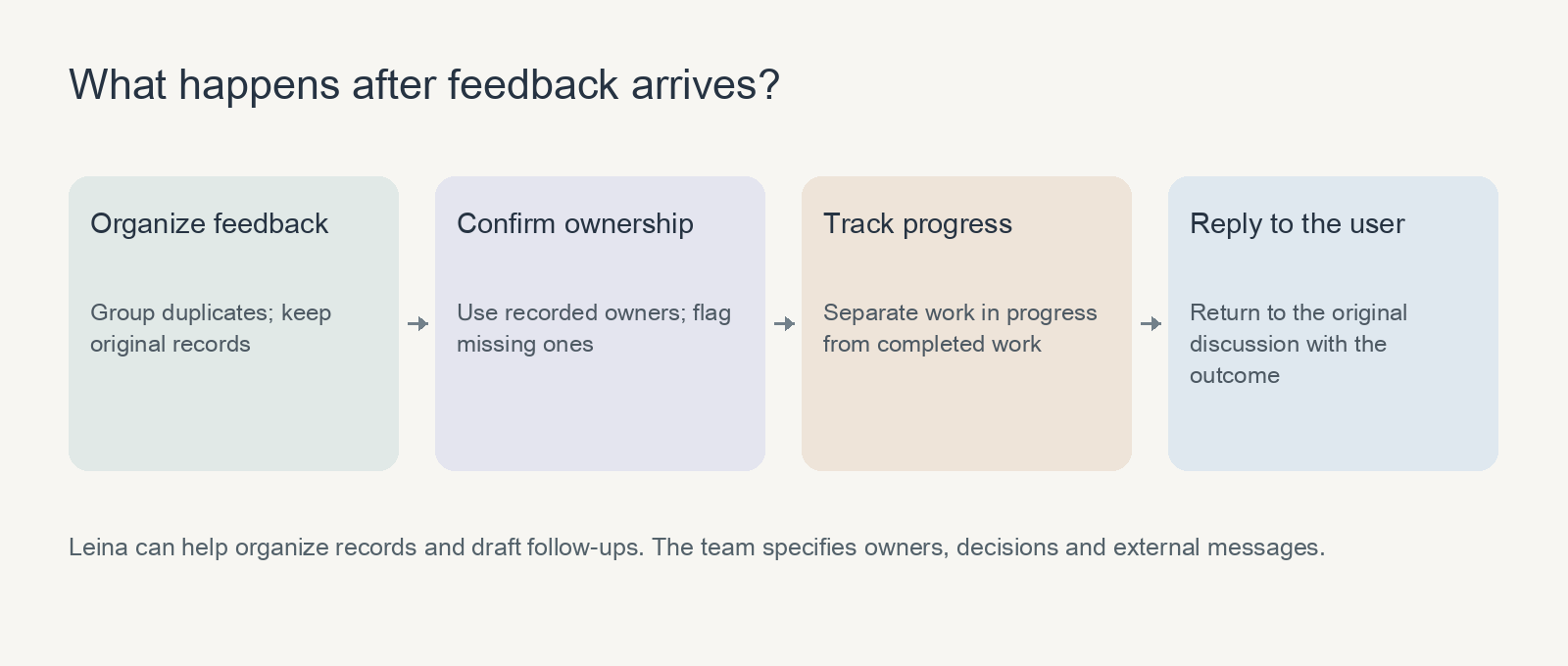
A record, an owner and a reply help feedback move forward.
Connect the new tool to the work already happening
Leina focuses on this everyday work. A team can assign a task in chat and have it gather information through authorized Apps. Available systems and actions depend on supported connections and account permissions.
You could start with a specific request:
Organize product feedback from the past seven days. Group duplicate issues and retain a link to each original record. List the affected feature, current status and any owner already named in the records; mark missing details as needing confirmation. Separately list issues that have been handled but have not received a reply. Return the summary here first.
The result helps the team decide what to address and helps the person handling communication see whom to follow up with. It does not need to guess the team’s priorities. Showing what has been missed is already useful.
After checking a few runs, save the method as a Skill. AI can then help with the regular organization that follows release, as well as building the first version.
Start with the first week after launch
If you have just built a tool with AI, watch what happens during its first week of use:
- Which information still has to be moved elsewhere by hand?
- Who keeps asking for progress updates or adding context?
- Which submissions have arrived without moving to a next step?
Choose one frequent piece of organization or one recurring handoff, and see whether it can take less time.
That brings us back to the Adobe video. The same person can want to build an alternative and be willing to pay a subscription. What they want is straightforward: to finish the work in front of them and have problems dealt with when they arise.
AI brings the first version sooner. Every day after that deserves some attention too.
Create Leina and start with a week of real feedback. Check the integration directory for the services and actions you need. Once the task works well, save the requirements as a Skill for the next run.

Give Leina Your Next Task
Start with an everyday task. Assign it in team chat and get the results there.
Create Your LeinaNew users can claim a 3-day free trial
Browse Supported Integrations