



How to Turn GitHub Pull Requests Into a Weekly Report in Notion
Prepare a source-linked weekly report of merged and open GitHub PRs with Leina, review the draft in chat, and append it to Notion.
Writing a weekly engineering report usually means manually scanning through dozens of pull requests, copying links, and figuring out what merged versus what still needs review.
With Leina, you can automate this workflow directly from team chat. By connecting GitHub and Notion, an agent can gather PRs, draft a structured summary with source links, and append the approved version to your Notion workspace. The key to making it reliable is separating the draft from the write step so you can verify the numbers before publishing.
Start with one completed week so you can compare the draft with records you already know.
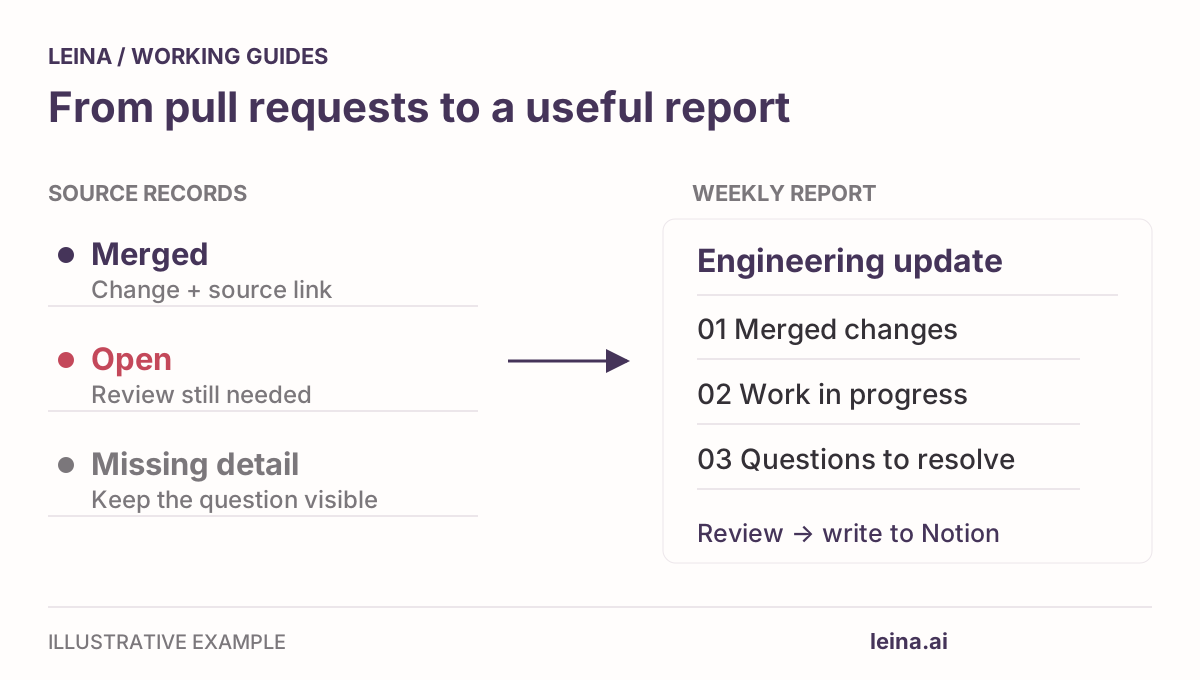
Define the reporting scope
Before asking an AI agent to pull records, establish clear boundary rules for what belongs in the report. For your first run, stick to a single repository and a completed week.
| Section | Inclusion rule | What it communicates |
|---|---|---|
| Merged this week | Merge timestamp falls within the specified start and end boundaries | Changes that entered the target branch during the period |
| Currently open | PR is open at query time | Work in progress, draft status, and documented review blockers |
Note on open PRs: An open PR list describes the repository at query time. To report what was open at the end of a previous week, you need a saved snapshot or evidence of the state changes since then. Keeping dated reports gives you those snapshots for future comparisons.
You can check the source records using GitHub’s state and merge-date search qualifiers:
repo:OWNER/REPOSITORY is:pr is:merged merged:2026-09-28T00:00:00+00:00..2026-10-04T23:59:59+00:00Replace the repository and dates, keeping the timezone consistent with your report. This example uses +00:00 for UTC; use the appropriate offsets for your reporting window if your team works in another timezone.
Connect GitHub and Notion
In Leina Console, authorize the two workspace connections:
- GitHub: Use an account that can read the target repository and a connection that exposes the PR details needed for the summary.
- Notion: For the save step, use a connection that can read and append content to the intended page.
Check the available operations in Integrations and your authorized accounts under Connections. The requesting member also needs permission to use those connections. Draft the report in your connected team chat, then write to Notion after reviewing it.
Prompt the agent for a reviewable draft
Start with a prompt that requires source links and explicit handling of missing information. Copy and adapt this request:
Prepare a weekly engineering report for
[owner/repository], covering[start timestamp]through[end timestamp]in[timezone].
- Merged PRs: List all PRs merged within that window. For each PR, include its number, title, author, merge time, source link, and a 1–2 sentence summary of changes based on its PR description and any changes available through the tool.
- Currently open PRs: List PRs open as of right now, noting their draft status and any documented reviewers or blockers.
- Missing context: If a PR has an empty description or unclear impact, explicitly mark it as “Impact undocumented”—do not invent business reasons or outcomes.
- Retrieval notice: Note the retrieval timestamp, retrieve all result pages within scope where supported, and report any incomplete retrieval or inaccessible records.
Return the complete draft here in chat. Do not write to Notion yet.
If your team uses a standardized markdown layout, you can also provide the blank weekly report template as a formatting reference.
Check the draft against GitHub
Before pushing anything to Notion, compare the record list and spot-check its summaries:
- Check the count against GitHub search: Run the merge qualifier query in GitHub search. Does the number of PRs match the agent’s merged list?
- Verify boundary timestamps: Compare PRs near both ends of the time window with the source list. Check their timestamps and the timezone used to select them.
- Separate merged from closed: Verify that closed PRs abandoned without merging didn’t accidentally slip into the merged section.
- Separate merged from deployed: Merging code to
maindoes not automatically mean it has been deployed to production. Keep the summary focused on what actually merged unless a deployment record or another explicit source confirms deployment to that environment. A release tag alone identifies a code version. - Check for hallucinated summaries: If a PR title is simply “fix typo” or “chore: deps”, make sure the agent didn’t invent elaborate architecture improvements.
If you spot gaps—for instance, missing PR descriptions—leave them marked as undocumented. Highlighting undocumented changes is useful feedback for the team to improve PR descriptions.
Append the reviewed report to Notion
Once the draft looks accurate, instruct Leina to write the report to your designated Notion page:
Append the reviewed report to
[Notion page URL]under the heading"[repository] — [reporting period]".
- First check if that heading already exists. If it does, show me the existing section before modifying anything.
- Preserve all other existing content on the page.
- After writing, read back the added section and return the Notion page link. If the write outcome is uncertain, inspect the page before retrying; if you cannot verify it, tell me.
This gives you a review point before the document changes. It is a workflow you request; the connection permissions still determine which operations Leina can perform. Check the saved section before sharing it with the team.
Once this workflow is working smoothly for your team, you can turn this prompt into a reusable Skill and reuse the format with a new reporting window. Teammates still need the relevant connection permissions.