



Generate Pixel Art
Generate pixel art of [subject and style] at [image size]. Wait until it is complete and return the image files.
pixellab
Leina connects to PixelLab to help you create pixel art and animate characters. Ask in your team chat. Leina does the work and brings back the result.
Connect PixelLab, choose what to share, and hand off your first task.
You
Create a 64-by-64 pixel-art forest merchant with a green cloak and a transparent background.

Leina
The forest merchant is ready as a transparent pixel-art image.
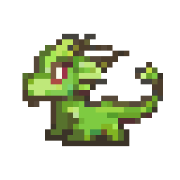
PixelLab · Example
Forest merchant · Pixel asset
A small character asset for the woodland scene.
A PixelLab AI agent can turn an art brief into pixel images or animate a supplied first frame, then retrieve the finished files.
You specify the source and the destination. Leina uses the content available to your connection and returns the result for you to review.
PixelLab creates pixel-art assets for games and visual projects.
Choose the subject, style, and image size.
Submit the brief to PixelLab.
Wait for generation and return the image file.
Copy a prompt, add your details, and send it to Leina in your connected team chat.
Generate pixel art of [subject and style] at [image size]. Wait until it is complete and return the image files.
Animate this character image [image link] with [motion]. Wait until the animation is complete and return its frames.
Check my PixelLab credits and remaining subscription generations.
Your next PixelLab task can start with a message.
Tell Leina what you need in your team chat. Include the source, destination, and expected result.
Connect the tools involved and give Leina access to the content it needs.
Share the source material, say where the result belongs, and describe what you need.
Review the result and any changes in the connected app.
Hand off these everyday tasks to your AI employee.
Start an asynchronous PixelLab animation from a first frame and a text description of the character motion.
Poll a PixelLab background animation job and store completed image frames in OOMOL file transit.
Estimate PixelLab skeleton keypoints from a PNG or JPEG character image.
Generate synchronous PixelLab animation frames from a reference character image and per-frame skeleton keypoints.
Retrieve the current PixelLab USD credit and subscription generation balances.
Start Pro text-to-pixel-art generation with optional subject and style reference images.
Start Pro pixel-art generation that matches one to four supplied style images.
Start Pro generation of a pixel-art game UI element.
Generate one pixel-art image synchronously with the PixelLab Pixflux model.
Generate one pixel-art image synchronously with the PixelLab Pixen model.
Convert a PNG or JPEG image to pixel art synchronously.
Start Pro conversion of a PNG or JPEG image to automatically scaled pixel art.
Resize pixel art synchronously while preserving its pixel-art appearance.
Remove a pixel-art image background synchronously and return a transparent PNG.
Start a consistent Pro edit across one or more pixel-art images.
Start Pro mask-guided inpainting of a pixel-art image.
Start generation of eight directional rotations from one reference character frame.
Expand a short description into a model-ready PixelLab Pixen image prompt.
Expand a short description into a model-ready PixelLab v3 character prompt.
Expand a motion description using the visible content of one or two animation frames.
Start asynchronous Pixflux pixel-art image generation.
Start a consistent Pro text-guided edit across animation frames.
Start Pro interpolation between two pixel-art keyframes.
Start Pro transfer of an outfit or appearance across animation frames.
Start Pro conversion between a bust portrait and a full-body character sprite.
Generate four animation frames synchronously with PixelLab's original text animation model.
Start Pro text-guided animation from a reference character image.
Start Pro generation of eight directional rotations using a reference, style, or concept image.
Rotate or tilt a pixel-art character or object synchronously.
Inpaint a masked area synchronously with PixelLab's original image model.
Start PixelLab's original text-guided image editing operation.
Start creation of a saved PixelLab Pro UI panel asset.
List saved PixelLab UI assets with offset pagination.
Retrieve one saved PixelLab UI asset and its generation status.
Delete one saved PixelLab UI asset.
Start creation of a persisted PixelLab character with four directional rotations.
Start creation of a persisted PixelLab character with eight directional rotations.
Start Pro creation of a persisted eight-direction PixelLab character.
Start v3 creation or rotation of a persisted eight-direction PixelLab character.
Start one or more background jobs that add an animation to a persisted character.
Start creation of an edited state for an existing persisted character.
List persisted PixelLab characters with offset pagination.
Retrieve one persisted PixelLab character with rotations and animations.
Delete a persisted PixelLab character and its associated animations.
Export one persisted PixelLab character as a ZIP transit file.
Replace the user-defined tags on a persisted PixelLab character.
Start creation of a persisted one-direction PixelLab object.
Start creation of a persisted PixelLab object with eight directional rotations.
Submit one or more directional animation jobs for an existing PixelLab object.
Start creation of an edited state for an existing PixelLab object.
Keep selected candidate frames from a one-direction object review as individual objects.
Discard all candidate frames for a one-direction object awaiting review.
List persisted PixelLab objects with offset pagination.
Retrieve one persisted PixelLab object with rotations, review frames, and animations.
Delete one persisted PixelLab object.
Replace the user-defined tags on a persisted PixelLab object.
Connect the Apps your work depends on, and give Leina the context to carry the task forward.
Hand off a task while your team is discussing it. Leina uses your connected tools and brings the result back to the conversation.
See How Leina Works in SlackLeinaExample Result The forest merchant is ready as a transparent pixel-art image.
Generation can take time. The assistant checks progress and retrieves the finished files.
Provide an accessible PNG or JPEG image no larger than 256 × 256 pixels.
Start with one task you already need to do. Tell Leina what a finished result should look like.
Connect PixelLab, choose what to share, and hand off your first task.




